Currency


BUNDLE UP TO SAVE.
Buy 2 and get 10% off.
Buy 3+ and get 15% off.
Buy 5+ and get 20% off.
Couldn't load pickup availability
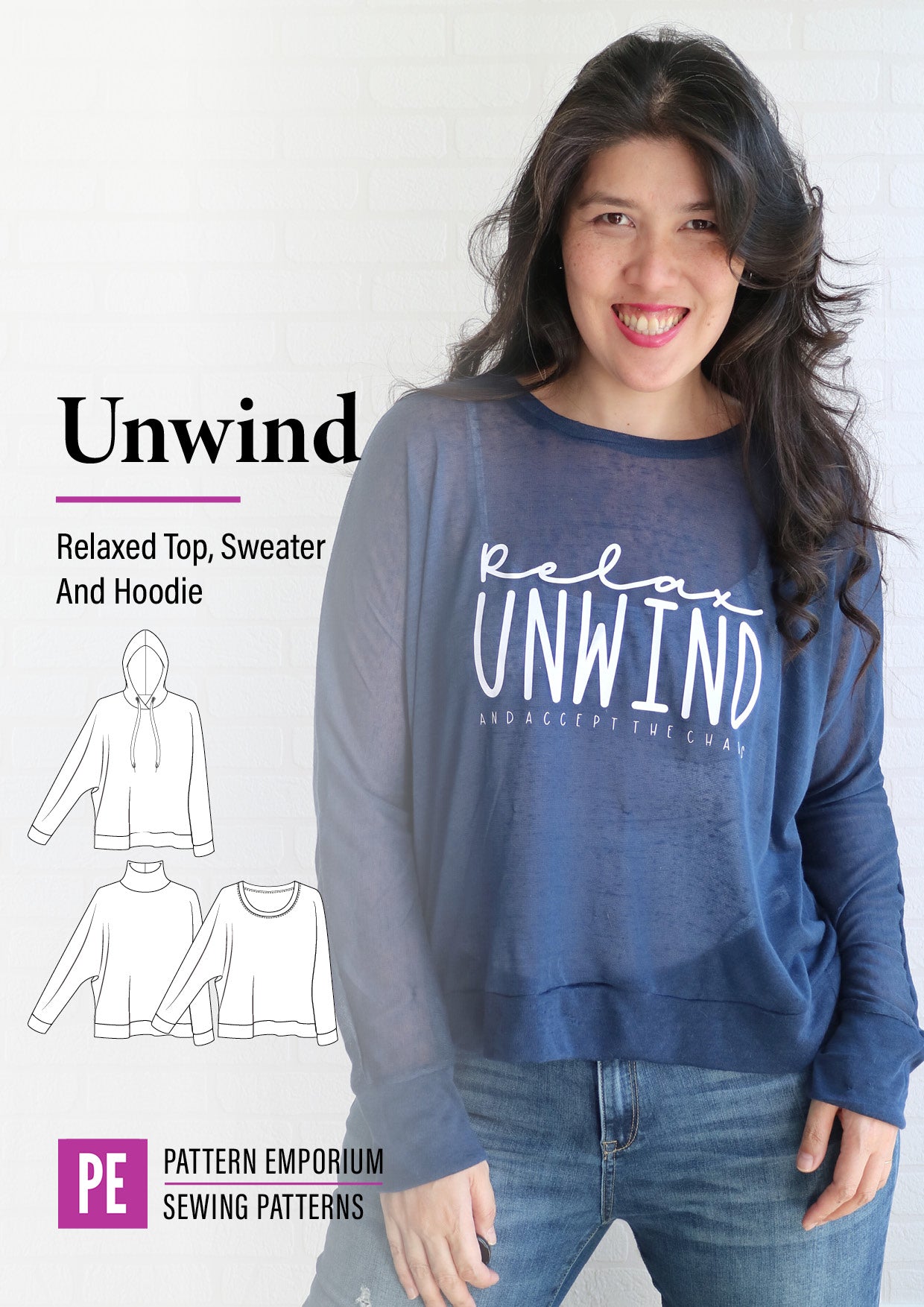
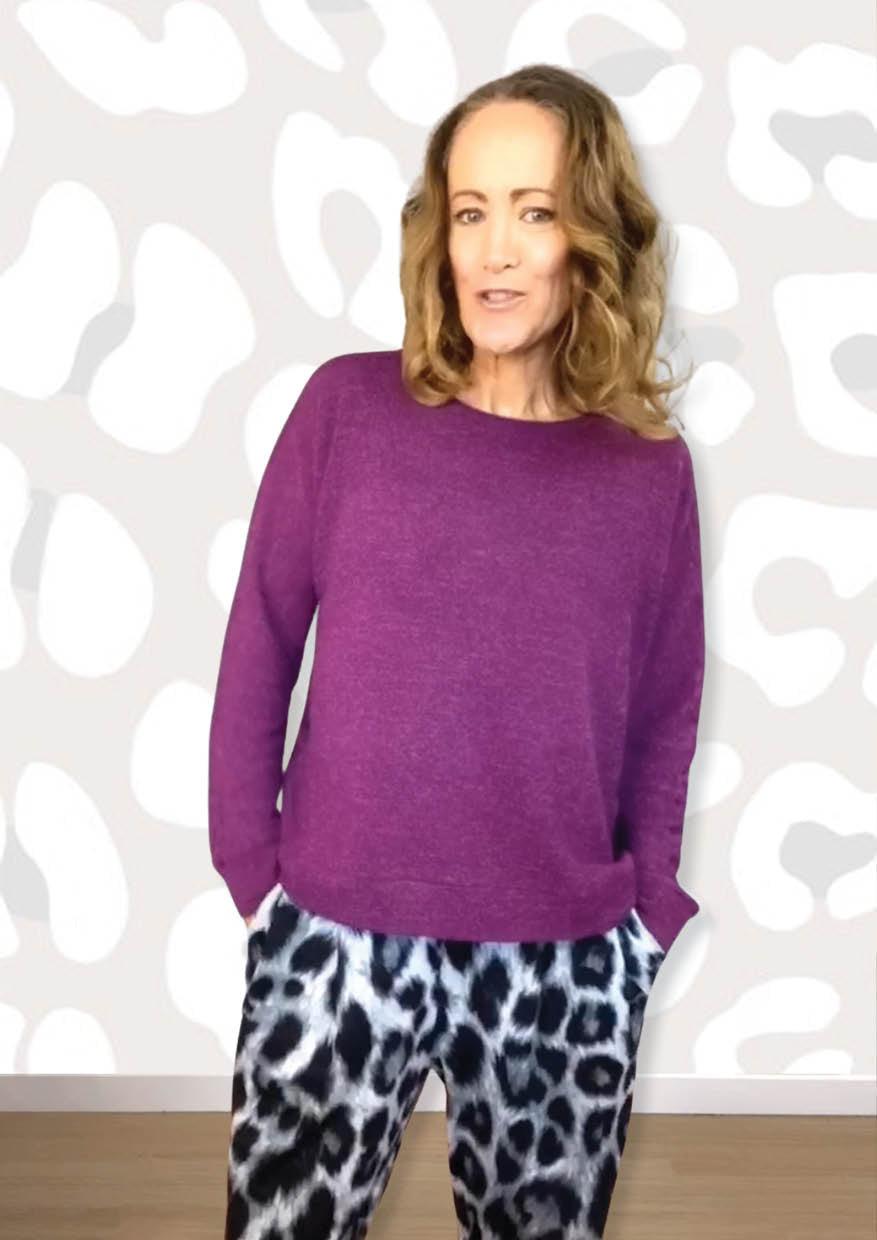
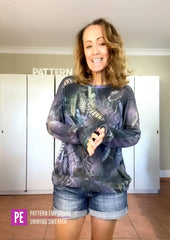
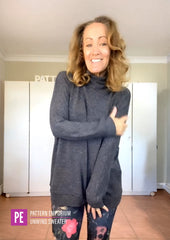
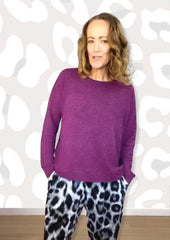
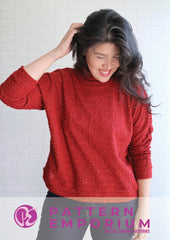
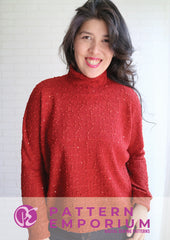
The Unwind Top features a dolman sleeve with banded hem & cuffs. With a relaxed loungewear fit, it can be sewn as a sweater, t-shirt, hoodie, jumper & more.
Choose from long (cuffed) or short sleeve, crew or relaxed neck, or sew with a hood or shaped turtle neck. Best of all, it's sewable in such a wide range of stretch fabrics, you'll be racing to your fabric stash.
WATCH THE VIDEO to see what's in this sewing pattern.
Sweater, jumper*, sweatshirt, windcheater, sloppy-joe, pullover or whatever you want to call it, the Unwind is pure comfort.
It's easy-going and relaxed, and you're going to want to wear one all the time, in all fabric types and styles.
*AUSSIE TRANSLATION: In Australia we refer to a ‘sweater’ as a jumper. A ‘sweatshirt’ is called a sloppy joe, windcheater and jumper. The term ‘hoodie’ is universal.
POCKET ADD-ON SEWING PATTERN: You'll find the pattern here.
FABRIC TYPE: This pattern is designed for stretch knit fabrics.
FABRIC REQUIREMENTS: View chart here.
FABRIC SUGGESTIONS:
TRIMS:
INSTANT DOWNLOAD! Receive the sewing patterns instantly after purchasing.
SIZES INCLUDED: Size 4-24. All sizes are included in your purchase.
FORMATS: This sewing patterns come in several formats, so you can use the one that suits you. All formats are included in your purchase.
COMPREHENSIVE TUTORIAL: We make the tricky bits easy.
Our in-depth tutorial includes detailed info on sizing, fabric choice, printing & more. It features vibrant colour photos, tips & tricks, & clear instructions to sew this garment. Plus real-life inspiration across various sizes from fellow sewists.
SEAM ALLOWANCE: Included in our patterns & specified on the pattern & in the tutorial.
DOWNLOAD as many times as you need to. Simply sign into your account and go to your pattern library to access your patterns. Click on the big 'Download Patterns' button at the top.
PLEASE NOTE: This is a downloadable digital PDF sewing pattern. As such, refunds after purchase are not possible.
We do not sell printed paper patterns.
COMMUNITY: Access our community of like-minded creatives for support, inspiration, motivation, and to showcase your Pattern Emporium creations.
♥ SUPPORT: All sewing, pattern, printing, size & fit support for our patterns is provided in our free community on Facebook.
This allows us to give consistent, thoughtful support while continuing to run the business and develop new patterns. https://www.facebook.com/groups/patternemporium
♥ PDF BEGINNERS VIDEO SERIES: These videos guide you through using a pdf pattern & tutorial. Watch the videos here.
♥ ALL ABOUT PATTERN LAYERS: Pattern layers let you turn size lines on or off in a PDF so you only print the sizes you need. Learn more here.
♥ iPHONE OR iPAD: Use the Sewsy App to print your pattern with layers.
♥ A0 COPY SHOPS RECOMMENDED BY OUR CUSTOMERS
♥ PATTERN MASHING: Which sleeves can I swap between patterns?
♥ PATTERN ADJUSTMENTS: View pattern adjustments here
♥ HELP INDEX: View our help index here
♥ NEED MORE HELP? Visit the 'Help & Resources' tab on the menu to learn about layers & other printing topics.
♥ TERMS OF USE: © For personal use only. Small-scale handmade sales allowed (i.e. sewn by you personally, not mass produced, outsourced, or factory-made) with credit to Pattern Emporium.
♥ REFUNDS: Due to the digital nature of our patterns, we do not offer refunds after a file has been downloaded.
♥ DOWNLOAD TO COMPUTER, PHONE OR TABLET:
To use the layers function in Adobe Reader, patterns are best downloaded to a desktop or laptop computer.
If that is not available to you, our customers recommend the Sewsy app for phone & iPad.
We recommend reading the tutorial on a device, rather than printing it. You can read your tutorial on your computer, phone or tablet.
.
♥ DOWNLOADING YOUR SEWING PATTERNS:
TO COMPUTER:
See process below with pics here.
1. Select 'Download My Patterns' from the menu.
2. If you're not signed in already, it will prompt you to do so.
This takes you to your account page, showing your order history.
3. Select the big pink button at the top that says ‘Enter Your Pattern Library Here'.
This sends you to your personal Pattern Library - showing all the patterns that you own.
4. Click on the pattern/style you want to download.
5. Then click ONCE on each file (or files) you wish to download.
They will generally download to the Downloads folder on your computer.
TO PHONE / iPAD:
Visit here to see our downloading to phone instructions along with photos.
.
♥ PATTERN FORMATS AVAILABLE.
At Pattern Emporium, most of our patterns include Print-at-Home, A0 Copy Shop, and Projector pattern files.
Each listing specifies which formats are available for that particular pattern.
In each of our sewing pattern tutorials, you’ll find detailed information specific to that pattern's printing options.
.
♥ PRINTING YOUR PDF SEWING PATTERNS.
PHONE & TABLET:
As outlined above, if printing the pattern via phone or tablet, use the Sewsy App so you can access the layers & print to the correct scale.
DESKTOP & LAPTOP COMPUTER:
1. Open In Adobe Reader. To use the layers function in a PDF pattern, open the Print-At-Home pattern in Adobe Reader on a laptop or desktop computer. Visit our Help & Resources index for more information on layers.
This function isn't available on the phone or tablet version. As such, some customers recommend the Sewsy apps for layers functionality on a mobile device.
We recommend reading the tutorial off a device, rather than printing it. You can download & read your tutorial on any device.
2. Printer Settings. It's important to select the correct printer settings to ensure your pattern prints to the correct scale. You'll find printer specs in your tutorial &, for more detail, here on the website.
3. Page Printing Guide. You don’t need to print every page or size – just the ones you need. Our guide in the tutorial helps you identify exactly which pages to print.
4. Layout Summary. This shows what your print at home pattern will look like once assembled (taped together).
A0 COPY SHOP PRINTING:
Read the information provided in your tutorial as you may not need to print every page.
We recommend requesting plan printing and following the specs outlined in your tutorial & above (for at home printing). You can find our recommended printing specs on Menu > Help & Resources > Printing or here.
Use a recommended pdf pattern printer if you are new. They will know what to do when you don't. You can find them here or Menu > Help & Resources > Printing.
Printing at a copy shop is always going to be more expensive that printing at home.
See more info in the Help & Resources tab above this one or on the main menu here.
.
♥ BEGINNERS VIDEO SERIES
Are you new to pdf sewing patterns?
Our beginners video series is design for those that are new to pdf sewing patterns whether they have previous sewing experience or not.
You can watch the videos here.
It includes:
Watch the video series here or go to the menu under 'Help & Resources' > 'Beginners' > 'Video Series for Beginners'.
21 Jun '24 - Projector files updated with full (open) pattern pieces.
30 May '20 - Projector file added.
Very easy pattern to make in an hour.
I like this pattern
Pattern is so easy to follow and have been happy with all my tops I’ve made recently
Such a versatile top or sweater pattern for an everyday wardrobe staple. An easy and quick sew to give you instant gratification or give you your sew-jo back if it has been missing !
This is a very versatile and easy pattern. I have made 2 now - 1 as a hoodie and one with the regular neck. Very different fabrics and you would not know they were from the same pattern. Will be using this pattern on repeat - thanks PE - your patterns are so well thought out.
Thanks for subscribing!
This email has been registered!